Storage and Organization 3D Prints

Useful storage starts with the objects and space you actually have. Measure the largest item, the available footprint, and any limit on height. Consider whether you need one open space or separate compartments.

Copy an editable community model to your private library and check whether its controls describe inside or outside dimensions. Changing the wall thickness can reduce usable space even when the outside size stays the same.

Keep the saved version and slicer project that match a print you tested. Creator photos and print notes can provide context, while your own measurements and fit sample establish whether a revised design suits your setup.

Start with a measured generator →

Export your saved version as STL or 3MF for your slicer, or download the editable OpenSCAD code. Check the fit, orientation, and print settings before printing. See how Extrudely works.

Community designs

6 designs
Recently updated
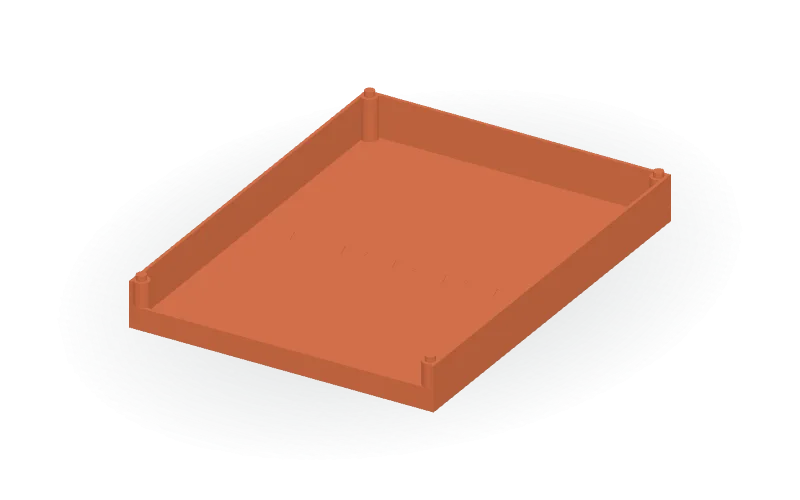
Split Stackable Desktop Paper Tray with Accessory Divider Option

Organize desktop papers or small accessories with a rectangular tray featuring a low front lip, raised side and rear walls, and corner locating tabs with underside sockets for stacking. The design splits into front and rear halves with dovetail joints along the floor seam. Choose an open paper tray or an accessory version with two crosswise dividers forming three compartments. Editable parameters cover overall width and length, wall and floor thickness, wall and front lip height, corner posts, stacking tabs and socket clearances, divider dimensions, and dovetail count, size, and clearance. Select either half individually or view the assembled model. Available formats: STL, 3MF, and editable OpenSCAD source.

Log in to copy
Vertical Laptop Stand with Laravel Engraving

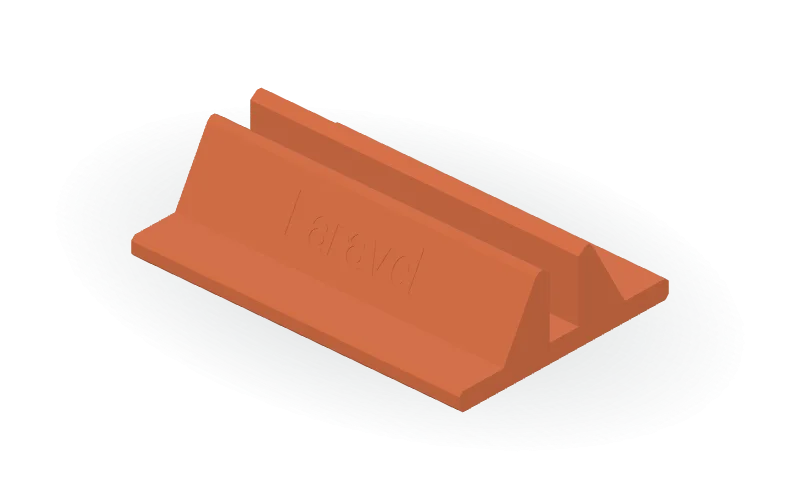
A customizable vertical laptop stand with a rectangular base, sloped supports, a beveled central channel, and recessed Laravel lettering on one outer face. Created for a 16-inch MacBook Pro desk-storage use case, the default model measures 180 × 124 × 46 mm with a 17 mm clear channel; check your laptop’s thickness before choosing the slot width. The OpenSCAD source includes self-contained vector lettering, so no external font is required. Editable parameters cover overall dimensions, base thickness, channel width, support and shoulder offsets, bevel sizes, and the lettering’s width, depth, and vertical position. The default inscription is 70 mm wide and engraved 0.6 mm deep. Available formats are STL, 3MF, and OpenSCAD.

Log in to copy
Adjustable Desk-Edge Cable Holder with Five Side-Entry Pockets

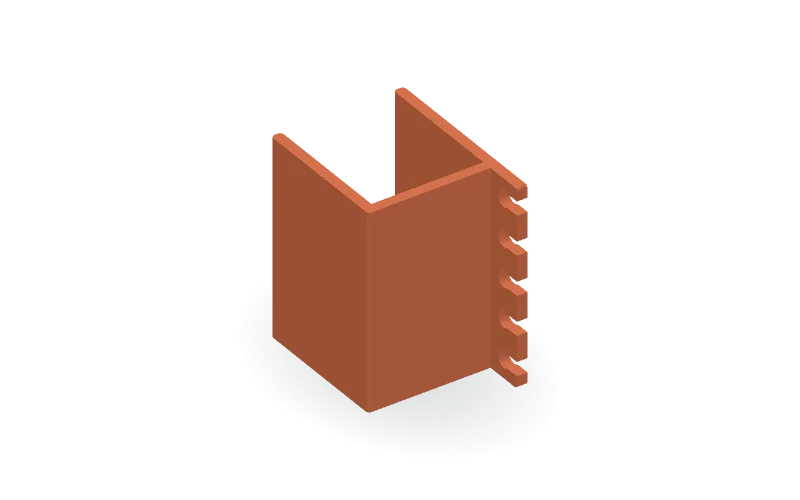
Organize cables along a desk edge with this single-piece, slide-on U-shaped holder. The default design has a 25 mm desk opening and five 4 mm cable pockets on an exterior rail. Rounded side entries are narrower than the pockets, allowing cables to be inserted from the edge while remaining accessible from above when installed. The parametric OpenSCAD source lets you adjust desk thickness, fit clearance, clip depth, cable diameter, pocket count, spacing, wall thickness, entry width, and corner radius. The source limits entry width relative to pocket diameter and checks for spacing between pockets. The model is oriented on one end for printing. Desk fit and cable retention should be checked with a test print, particularly with the default zero added clearance. Available formats: STL, 3MF, and OpenSCAD.

Log in to copy
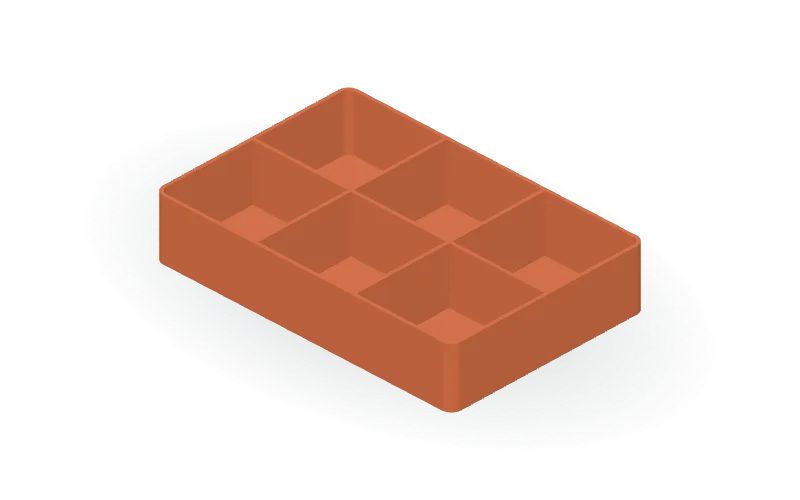
Rounded-Corner Drawer Organizer Tray with Adjustable Compartment Grid

Organize small items with an open-top rectangular drawer tray featuring a flat bottom, rounded outside corners, and integrated grid dividers. The default design measures 180 × 120 × 35 mm overall, including the walls, with six compartments arranged in three columns and two rows. Floor, wall, and divider thicknesses default to 2 mm. The editable OpenSCAD source provides controls for length, width, height, all three thicknesses, row and column counts, and corner radius. Built-in limits reduce the compartment count when needed to preserve usable cell space as dimensions change. The floor, walls, and dividers form a single connected design. Available formats: STL, 3MF, and OpenSCAD.

Log in to copy
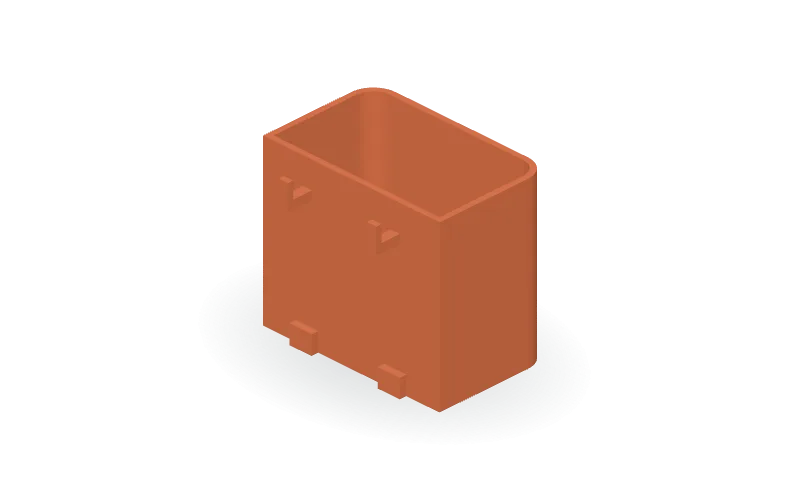
Rounded-Front Pegboard Storage Cup with Adjustable SKÅDIS-Style Mounts

Organize small items with this parametric open-top storage cup, featuring rounded front corners, a flat back, two integral mounting hooks, and lower board standoffs. The default cup measures 80 × 50 × 70 mm externally, with 2.4 mm walls and a 3 mm floor. Edit the OpenSCAD parameters to change width, depth, height, wall and floor thickness, and corner radius. Separate mounting controls adjust clearance, slot dimensions, hook spacing, board thickness, hook geometry, and standoffs without tying them to the cup size. A switch generates a small mounting fit-test piece instead of the full cup. Intended for an IKEA SKÅDIS pegboard setup; verify slot width, slot height, spacing, and board thickness before relying on the fit. Available in STL, 3MF, and OpenSCAD formats.

Log in to copy
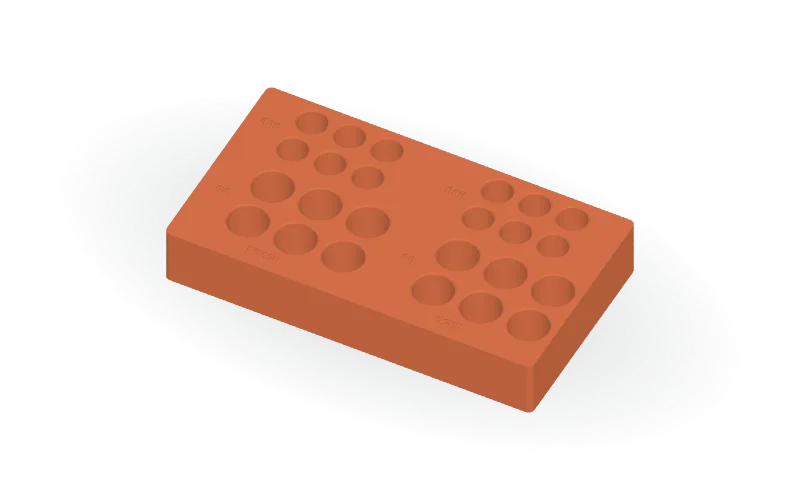
AA and AAA Desktop Battery Organizer with Fresh and Used Sections

Keep upright batteries sorted in a rectangular desktop organizer with separate FRESH and USED sections. The default layout provides 24 blind pockets: six AA and six AAA in each section. Rounded outside corners, chamfered pocket entrances, a flat bottom, and recessed size labels complete the design. The editable OpenSCAD source calculates the footprint from your layout. Adjust battery diameters, clearance, pocket depths, row and column counts, wall and floor thicknesses, spacing, corner radius, chamfers, and label settings. Built-in geometric lettering requires no external fonts. A two-pocket fit-sample mode generates one AA pocket and one AAA pocket; increase diametral clearance for a looser fit or decrease it for a tighter fit. Available formats: STL, 3MF, and OpenSCAD.

Log in to copy