Back to marketplace
Parametric Male-to-Male Vacuum Hose Reducer with Fit-Test Rings

Parametric Male-to-Male Vacuum Hose Reducer with Fit-Test Rings

By Jonathon Ringeisen · Saved version 1

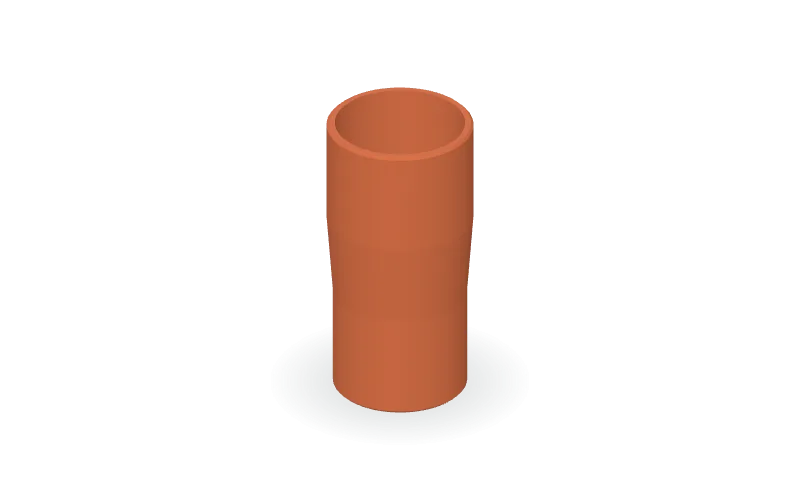
A hollow vacuum hose adapter with two male insertion ends, a tapered transition, and a continuous bore without internal steps. The default setup uses measured socket inside diameters of 32 mm and 35 mm, with 0.3 mm diametral clearance, giving male outside diameters of 31.7 mm and 34.7 mm. Each insertion section is 25 mm long, joined by a 20 mm transition with 2 mm walls and external lead-in chamfers. The OpenSCAD source lets you edit both socket diameters, clearance, insertion lengths, taper length, wall thickness, and chamfer size. Positive clearance makes each male end smaller than its mating socket. An optional mode generates two short fit-test rings with adjustable length and spacing. Available formats: OpenSCAD, STL, and 3MF.

Copy this community design to your library to customize it and download your saved version.

Log in to copy
Saved parameters

Values from version 1. Units are shown where supplied by the creator. These are model inputs; check the exported geometry and fit in your slicer.

Parameters for saved version 1
Parameter Value
First mating socket inside diameter32
Second mating socket inside diameter35
Diametral fit clearance (male OD = socket ID minus clearance)0.3
First end insertion length25
Second end insertion length25
Axial length of tapered transition20
Radial wall thickness away from lead-ins2
External lead-in chamfer size (axial and radial)0.6
Output mode: 0 = full reducer, 1 = two fit-test rings0
Axial length of each fit-test ring8
Space between fit-test rings8

The creator has not added print notes yet. Check dimensions, orientation, supports, and material settings before printing.

Make this design your own

  1. Copy to your library. Log in and use “Copy to my designs” to create a private, editable copy.
  2. Adjust and preview. Change exposed parameters, edit the OpenSCAD code, or ask AI for changes. Save a new version when ready.
  3. Export and check. Download STL or 3MF for your slicer, or editable OpenSCAD. Check dimensions, build volume, orientation, and print settings.