Back to marketplace
Desktop Phone Stand with Charging Gap and Short Pedestal Supports

Desktop Phone Stand with Charging Gap and Short Pedestal Supports

By Jonathon Ringeisen · Saved version 2

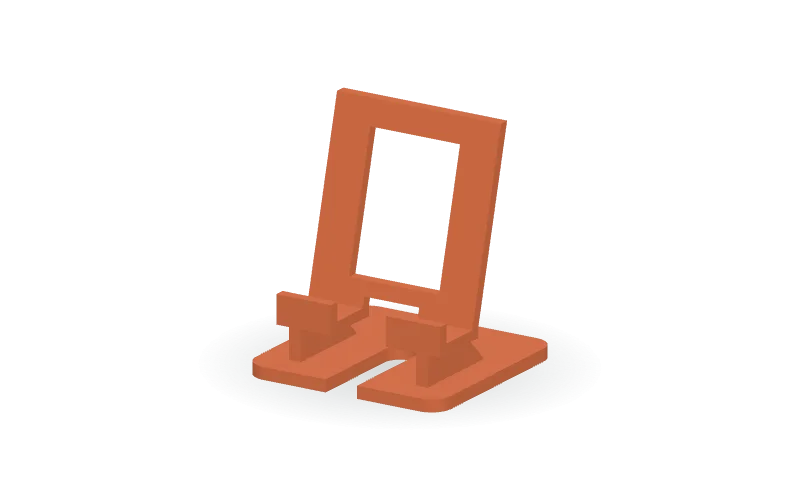
This customizable desktop phone cradle pairs a rearward-leaning backrest with short, tapered under-seat pedestals rather than tall rear braces. The split ledge includes front retention lips and a central charging-cable gap, while an open-front channel runs through the rounded base. A rectangular backrest opening provides relief for a raised case mount. The default design has a 100 × 96 mm base and a 15° rearward lean. The editable OpenSCAD source lets you adjust base size and corner radius, backrest dimensions, seat height and position, lean angle, case clearance, lip height, charging gap, mount-relief opening, cable-channel width, wall thickness, and pedestal thickness. Available formats are STL, 3MF, and OpenSCAD.

Copy this community design to your library to customize it and download your saved version.

Log in to copy
Saved parameters

Values from version 2. Units are shown where supplied by the creator. These are model inputs; check the exported geometry and fit in your slicer.

Parameters for saved version 2
Parameter Value
Base width100
Base depth96
Base thickness6
Base corner radius10
Backrest width84
Phone support height above desk26
Backrest height above the seat88
Rearward phone lean in degrees15
Backrest and ledge thickness5
Clear case depth between lip and backrest21
Front retention lip height9
Central charging access width28
Rear case mount relief width46
Rear case mount relief height64
Cable channel width in base16
Supporting rib thickness6
Seat back position relative to base center-8

The creator has not added print notes yet. Check dimensions, orientation, supports, and material settings before printing.

Make this design your own

  1. Copy to your library. Log in and use “Copy to my designs” to create a private, editable copy.
  2. Adjust and preview. Change exposed parameters, edit the OpenSCAD code, or ask AI for changes. Save a new version when ready.
  3. Export and check. Download STL or 3MF for your slicer, or editable OpenSCAD. Check dimensions, build volume, orientation, and print settings.